Smart Repetition
Some highlights are more useful to review than others. To give you more control over which highlights appear in your reading recaps, PastReads offers Smart Repetition (based on the principle of spaced repetition).
Smart repetition turns your recaps into a short feedback loop. After each highlight, you choose how soon you want to see it again. PastReads remembers your answers, and future recap sessions lean toward what’s due instead of reshuffling your highlights at random.
It’s available on any recap when you’re on PastReads Pro.
To enable it, open Recap settings, select a recap, and enable Smart repetition.
How it works
With smart repetition on, you won’t see the usual Next / Complete buttons. Each highlight ends with a simple prompt:
Remind me: Soon · Later · Never
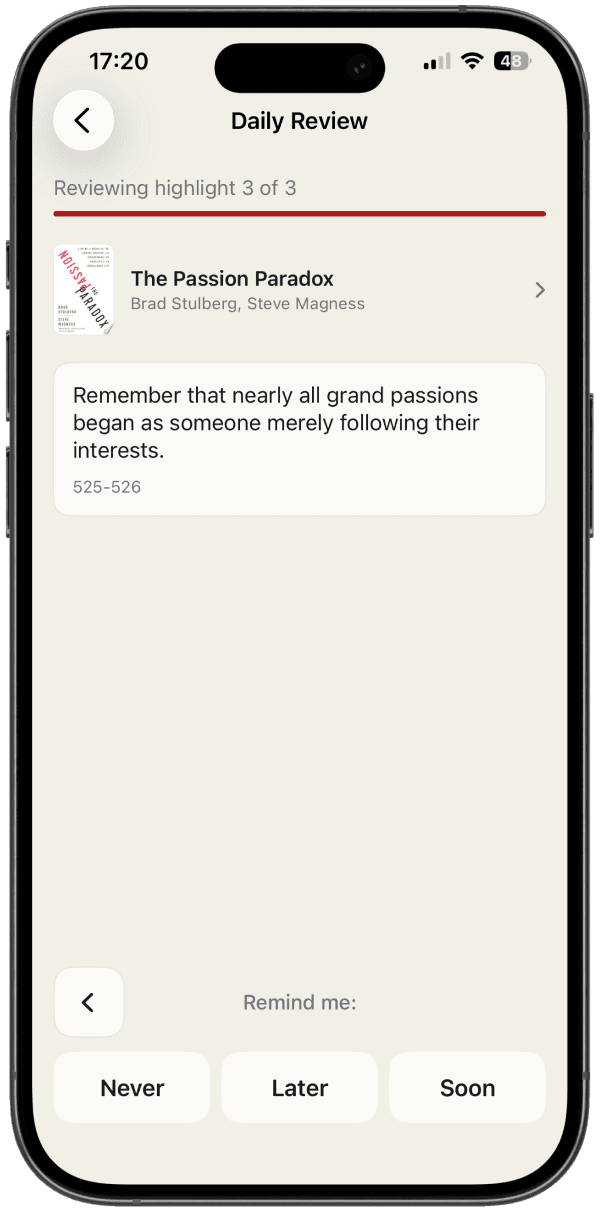
| Choice | What it means |
|---|---|
| Soon | Puts the highlight back on a short timer so it shows up again in a few days. |
| Later | Spaces it out. PastReads increases the interval each time. |
| Never | Stops resurfacing it altogether in future smart recaps. |
You’re essentially telling PastReads whether this highlight still earns a place in the future rotation.
When PastReads builds the next edition for a smart recap, it finds highlights that are due and combines them with new ones. The queue learns from how you respond.
If you enable Smart repetition on more than one recap, your answer history is shared across all of them.
Reviews & Streaks
Bring your reading highlights back with Daily Review and Reading Recaps. Build a review streak and set up custom schedules, filters, and more.
Notion
Learn how to export your PastReads library to Notion. Create a structured database of your highlights and notes organized by source with rich formatting and metadata.