Reviews & Streaks
Saving a highlight is easy, but remembering it months later is the hard part.
PastReads Reading Recaps pull a short set of highlights from your library and ask you to review them. Finish a recap every day, and your review streak grows.
Daily Review (free)
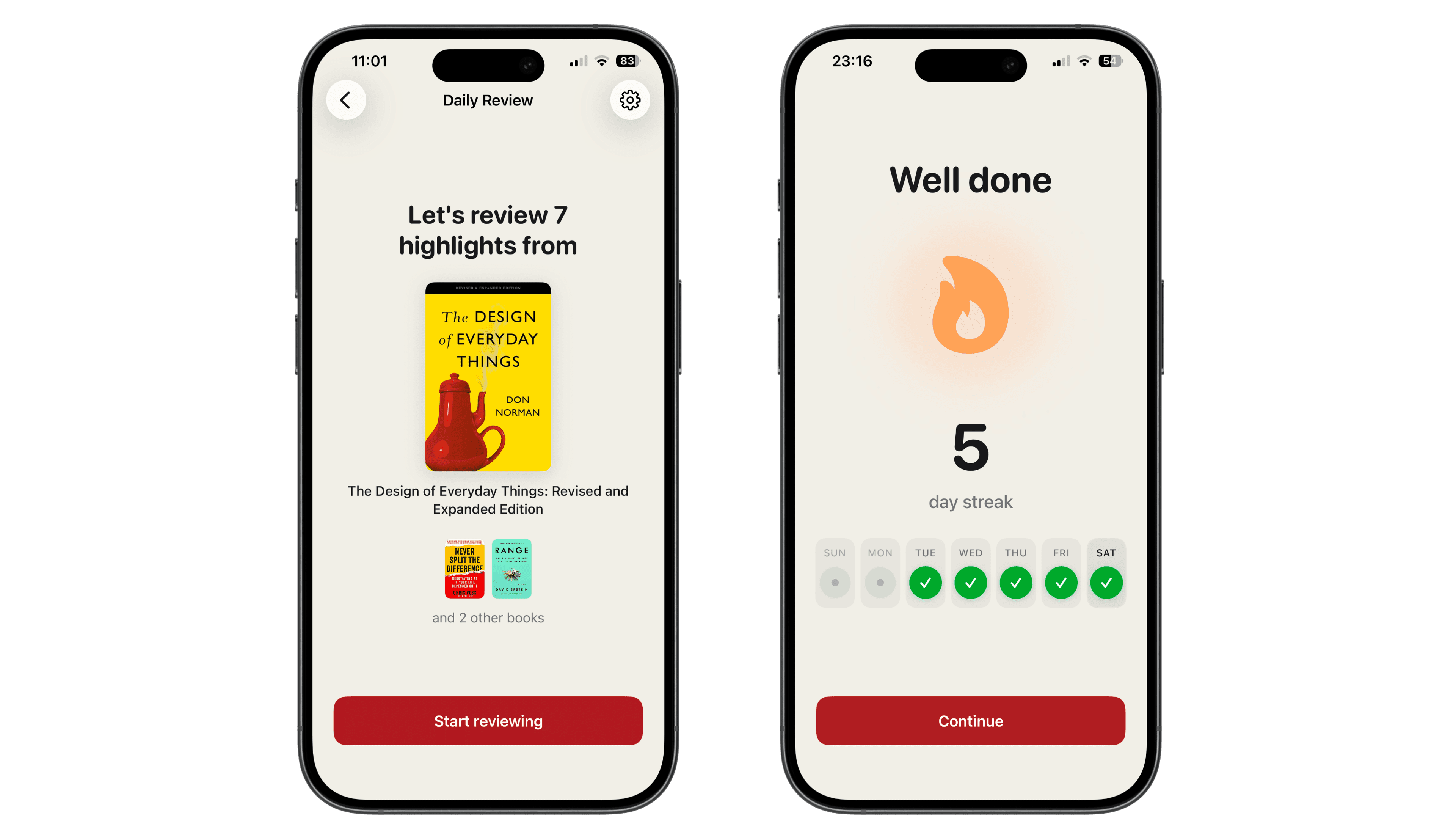
Every account gets a Daily Review: a simple, built-in recap that shows a few highlights each day.
Once you have at least 10 highlights in your library, PastReads will invite you to turn it on. You can also enable it anytime from Recap Settings.
On free, Daily Review keeps things intentionally light:
- A short set of three highlights each day
- Review them in the app or on web whenever you’re ready
- Optional push notifications so you don’t forget
- Streak tracking to stay motivated
- Occasionally, a fun fact about the highlights you've reviewed
How a review works
When a recap is ready for today, you’ll see it mentioned throughout the app.
Start reviewing
You’ll see how many highlights are waiting and which books or articles they came from.
Go through them one by one
Read each highlight, open the source if you want more context, and use the usual actions (favorite, tag, note, edit) if a highlight needs a tweak.
Complete the recap
Finish the last highlight and you’re done for that recap. Your 'review streak' updates right away.
Open reviews expire at the end of the day (23:59 or 11:59 PM), and are based on the timezone set in your account settings.
Highlights from the same book or article are grouped, so your review is more coherent and you don’t have to switch context.

Your review streak
Your streak counts consecutive calendar days where you completed at least one recap. Complete today’s edition and the count goes up. Come back tomorrow and keep it going.
When a review is waiting, the 'streak flame' lights up so you know there’s something open.
Unlock more settings with Pro
A Daily Review is enough to start and get more out of your highlights. If you need more, you can use PastReads Pro:
- Create up to 5 custom recaps
- Set your own cadence (daily, every X days, weekly, or on specific dates each month)
- Choose what goes in (all highlights, favorites only, or filters by tags, collections, and sources)
- Decide how many highlights appear in each edition (from 1 up to 25)
- Get recaps by email
- Turn on Smart repetition so you can adjust how often they reappear
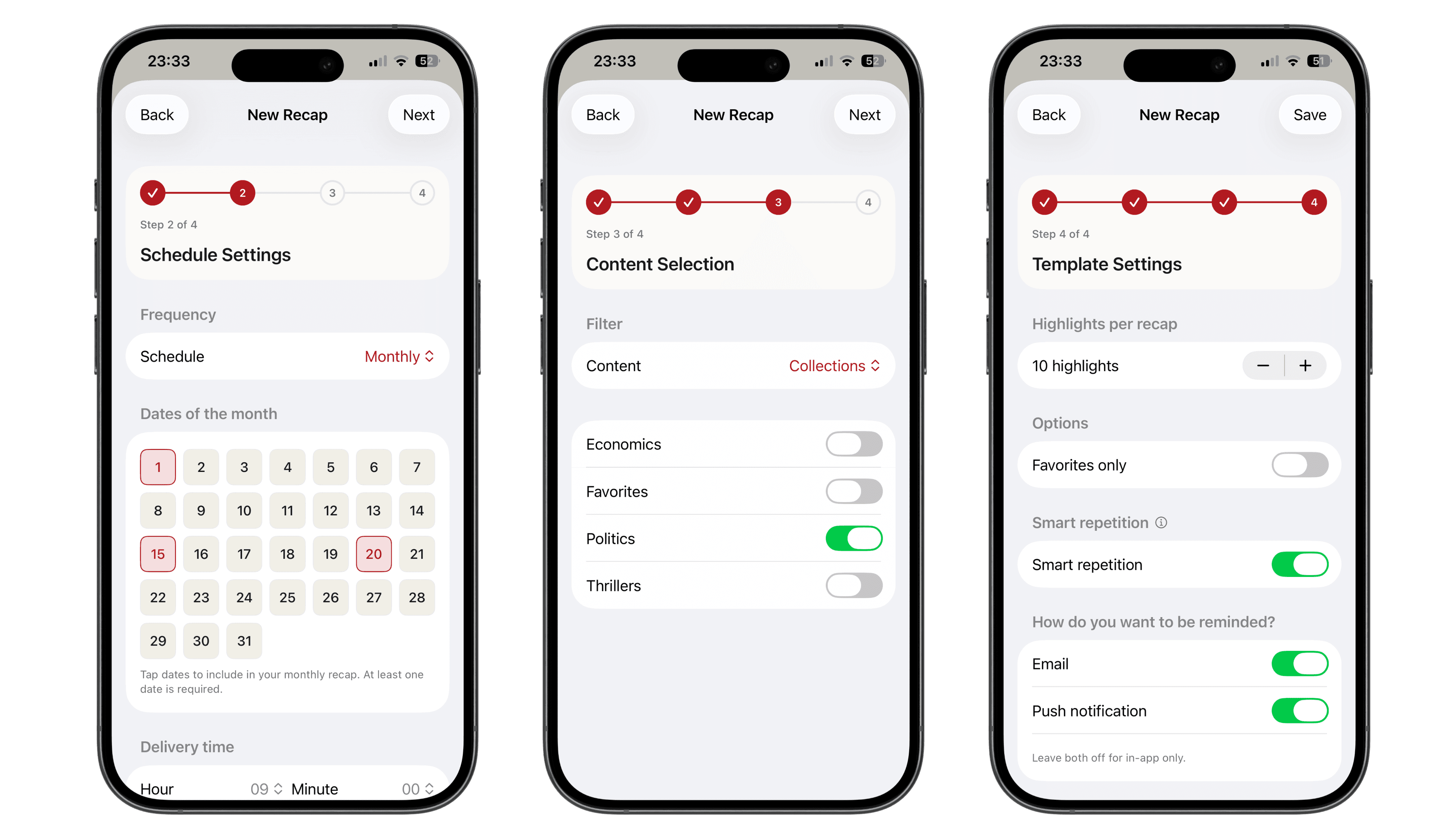
Make sure to review at least 1 recap every day to keep your streak going!
Get recaps by email
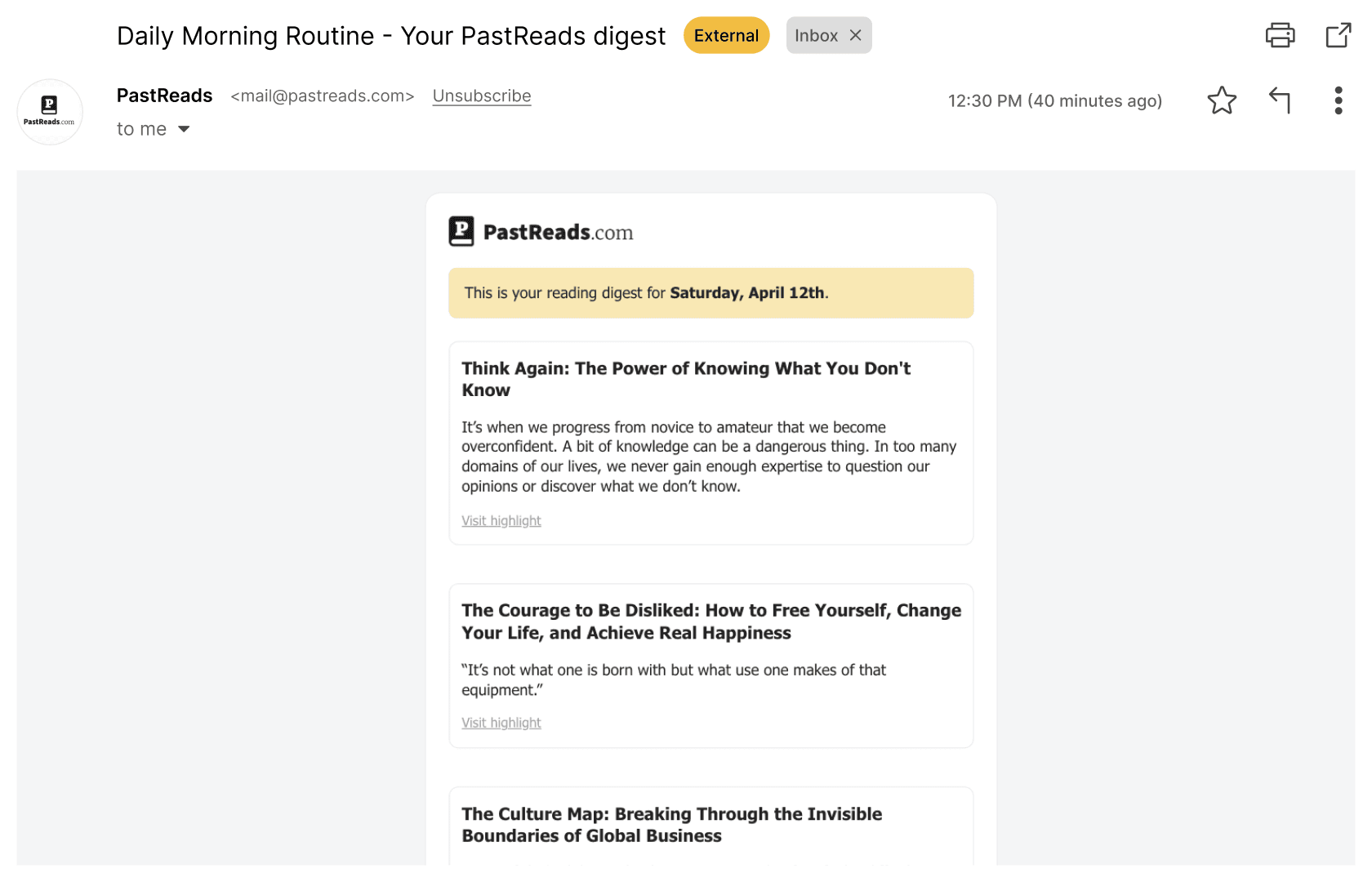
With Pro, you can also receive your reading recaps by email. Each edition arrives in your inbox with the same highlights you’d review in the app, so you can catch up without opening PastReads.
To keep your streak going, simply click the 'Confirm Recap' button at the bottom of the email.