Chat to your highlights with Claude
Your library is full of books, highlights and notes you saved. PastReads MCP lets Claude search that library while you chat, so answers come from your highlights and notes.
Chat to your highlights is a PastReads Pro feature.
You'll also need a Claude account with access to custom connectors (Claude Free users get 1 custom connector).
How it works
MCP (Model Context Protocol) is how Claude connects to external tools. PastReads hosts a remote MCP server that gives Claude read-only access to your library.
When you ask something like “What ideas do I highlight most often?”, Claude can:
- Search your highlight text by keyword
- Look up books and articles in your library
- Filter by tags, collections, or favorites
- Pull notes attached to a highlight
Claude then answers in plain language using that material. Nothing is written back into PastReads through this connection: Claude can only read.
Connect Claude to PastReads
Open Claude’s connectors
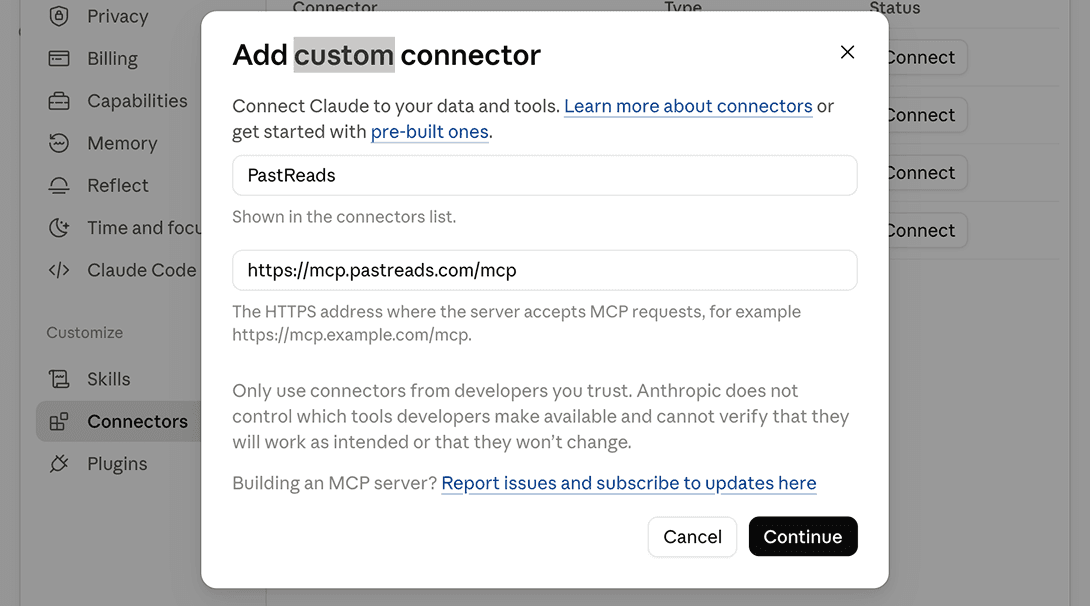
In Claude, go to Settings → Connectors (under Customize) → Add custom connector.
Use PastReads as the name. For the URL, paste:
https://mcp.pastreads.com/mcp.
Leave the default options, then continue and add.
Sign in and allow access
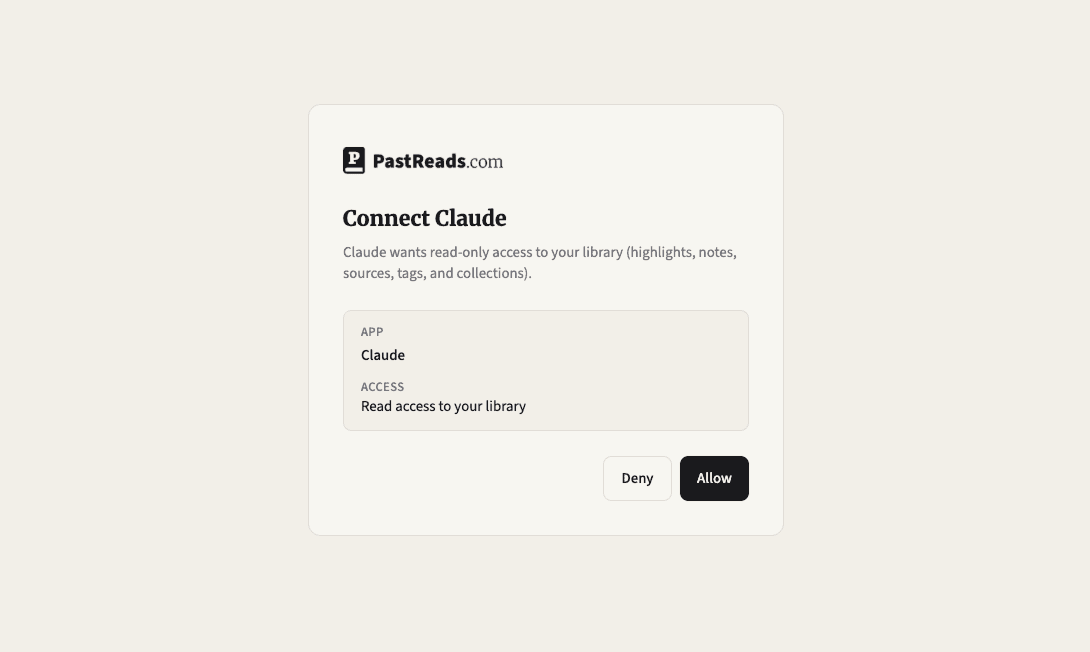
Claude sends you to PastReads. Sign in if needed, then review the consent screen. Claude asks for read-only access to your library. Click Allow.
Start chatting
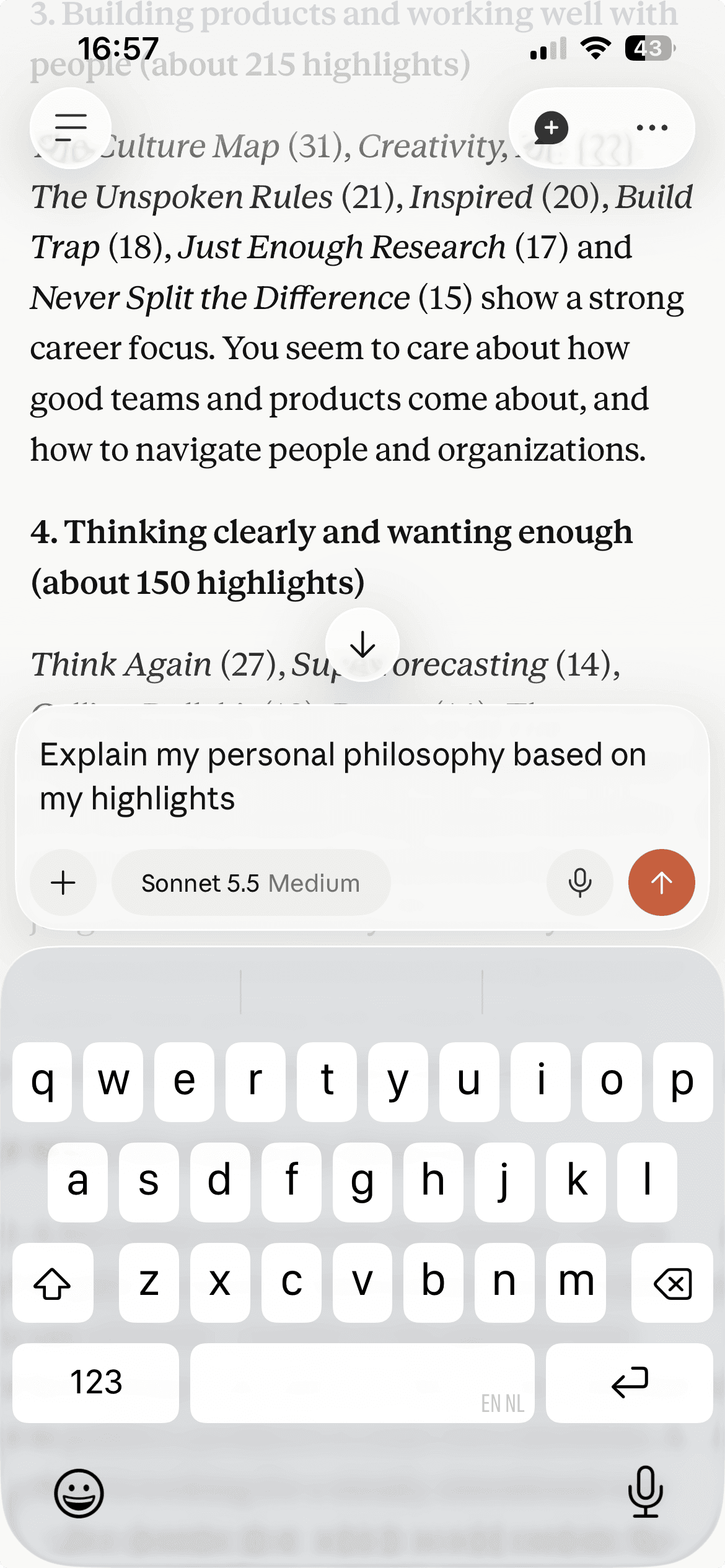
Back in Claude, enable the PastReads connector for your chat if prompted, then ask any question. Claude will call PastReads tools when it needs your highlights.
What you can ask
Natural questions work best when they point at language that actually appears in your highlights, or at books, tags, and collections you already use.
Try prompts like:
- “What ideas do I highlight most often, and what might that say about what I care about?”
- “Search my highlights for anything about habit formation.”
- “What did I highlight in Atomic Habits? Summarize the themes.”
- “Show me favorite highlights tagged leadership.”
- “Which books are in my Business collection, and what stands out from my notes?”
- “Find highlights about attention, then pull the notes I left on the most interesting ones.”
Claude resolves tag and collection names for you (it looks them up before filtering). Prefer specific keywords and book titles over vague requests like “tell me everything I know.”
What Claude can access
With PastReads connected, Claude can read:
- 🔍 Highlights — search by keyword; optionally limit to one book, a tag, or favorites
- 📚 Sources — books and articles in your library, including title/author search
- 🏷️ Tags — your tag list, so filters match the names you use in PastReads
- 🗂️ Collections — your shelves/collections and which sources belong to them
- 📝 Notes — notes on a specific highlight when Claude opens that highlight
Access is read-only. Claude cannot add highlights, edit notes, change tags, or modify your library through MCP.
Privacy and security
- You approve each connection on PastReads before Claude can read anything, but you can 'always-allow'
- You can revoke access anytime from account settings. In PastReads, go to Profile → Settings → Connected apps. Next to Claude, click Revoke.
Need any support?
If you run into issues chatting to your highlights with Claude, please contact our support team.