Glasp is best known for its web highlighter: select text on a page or PDF, save it, and build a searchable library with reading highlights.
Many readers do not only highlight the web. They mark up ebooks, paper pages, and other sources. That can leave half of your reading insights scattered.
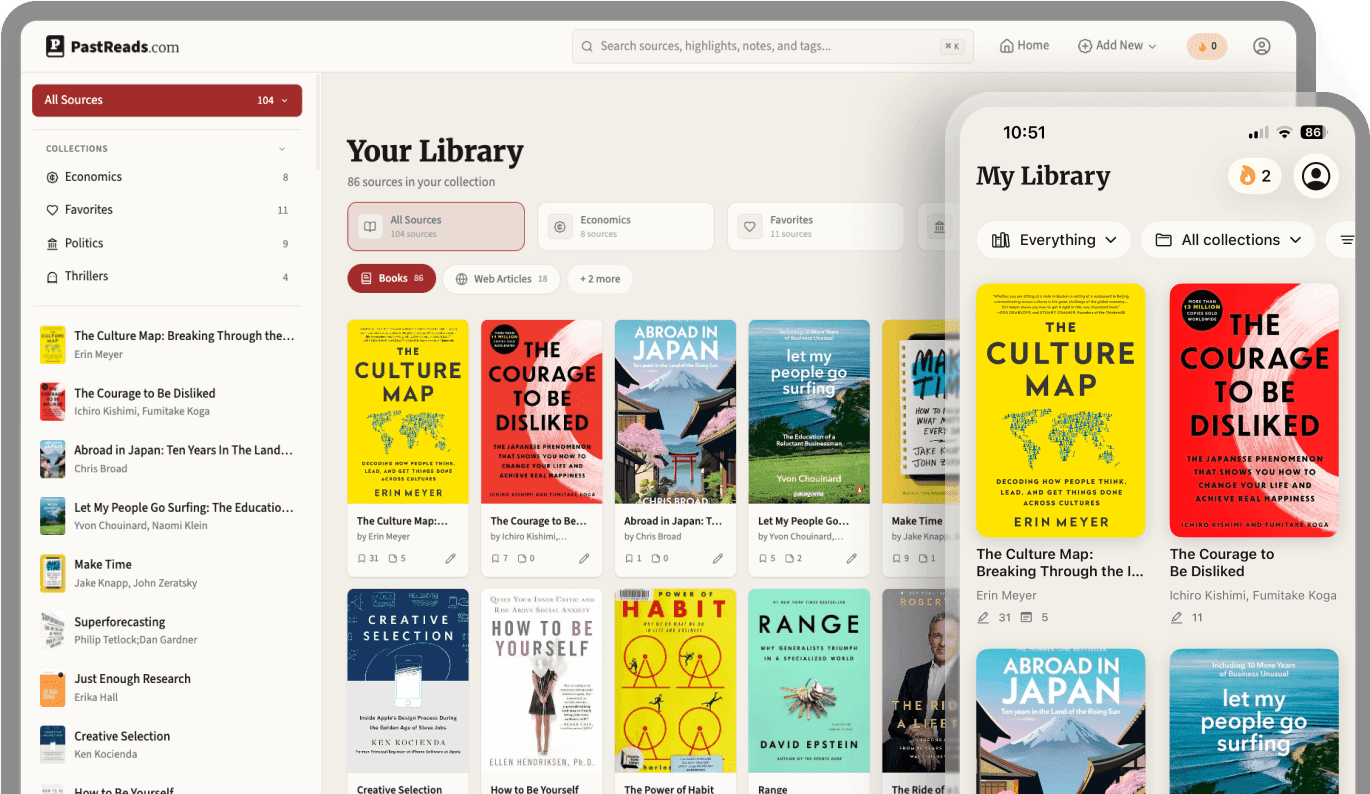
PastReads is a personal highlights manager centered on books, with a free Chrome web highlighter and camera capture for printed text, so everything lands in the same library. Let's review both products in a bit more detail.
Glasp vs PastReads for web highlighting
Let's start with Glasp. It is a free social web and PDF highlighter for Chrome, Safari, Edge, and Firefox, with iOS and Android apps. You highlight webpages, PDFs, and YouTube videos; passages sync into a searchable library; and AI can summarize or answer questions from what you saved.
If your reading is mostly online, Glasp is a strong product. However, it is good to know that unless you pay, all your highlights are public.
PastReads also has a free Chrome web highlighter (plus mobile browser support). Install it, select text on any page, right-click, and choose Save to PastReads. Title, author, URL, and timestamp come along when available.
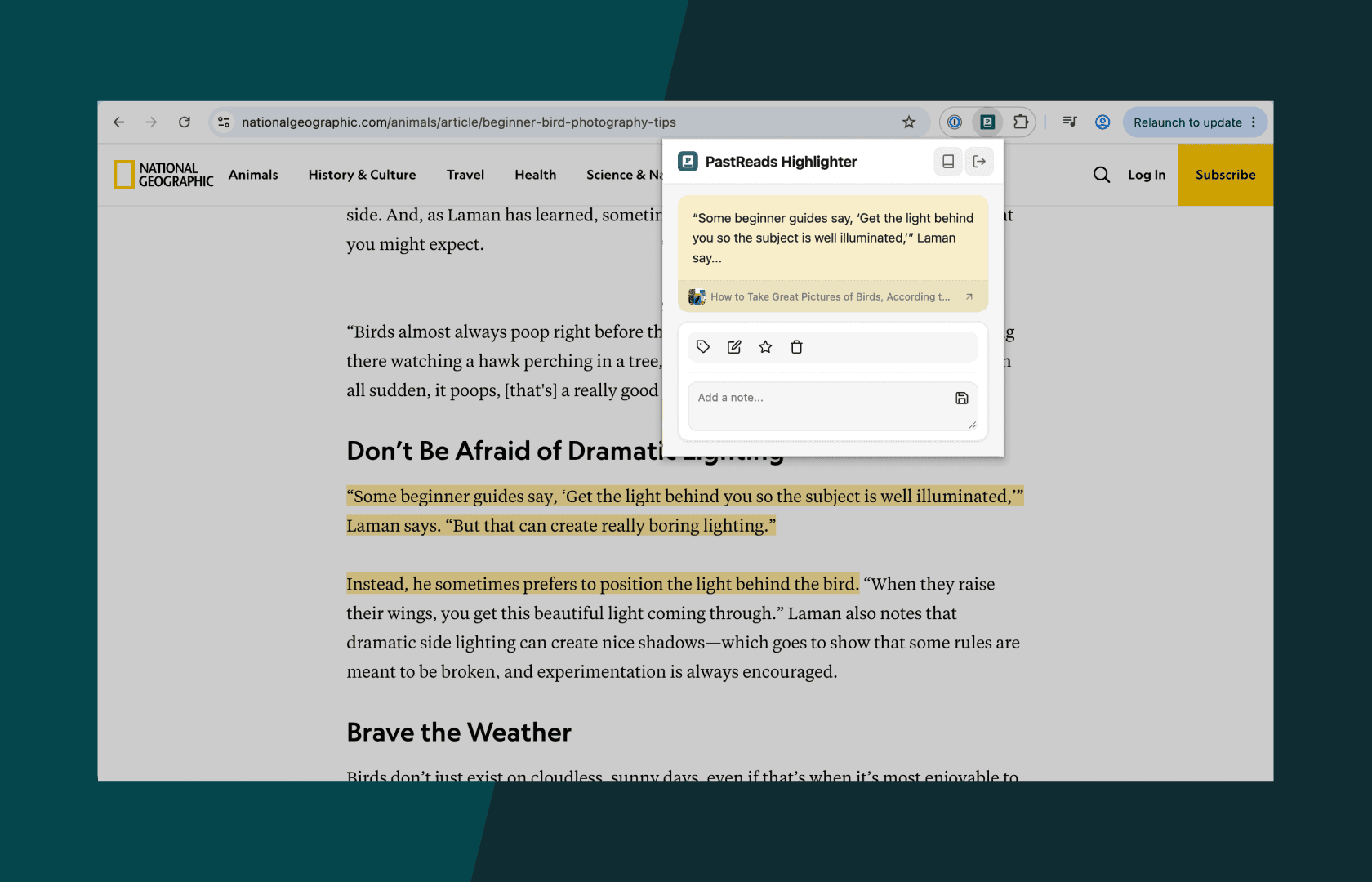
All your highlights end up in the PastReads Library, a private place where you can organize, review, and remember your highlights.
Organize, review, and remember your highlights
Saving highlights is easy. Using them later is the hard part.
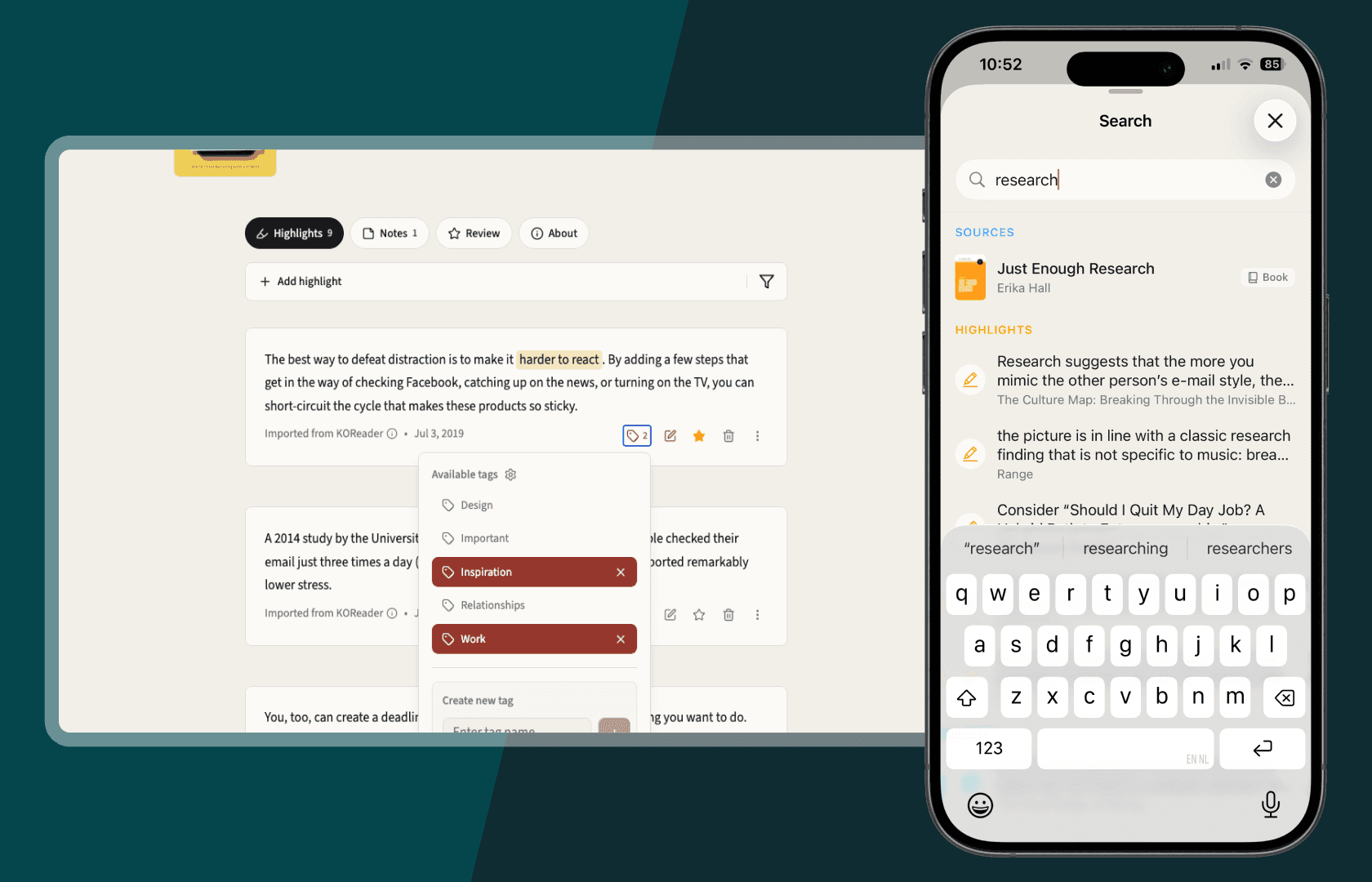
Glasp offers several great tools, including color coding, tagging, favoriting, and adding notes and comments. PastReads offers those features as well, including:
- Edit highlights and attach personal notes
- Group books and passages into collections
- Tag and favorite key insights
- Run full-text search across the whole library
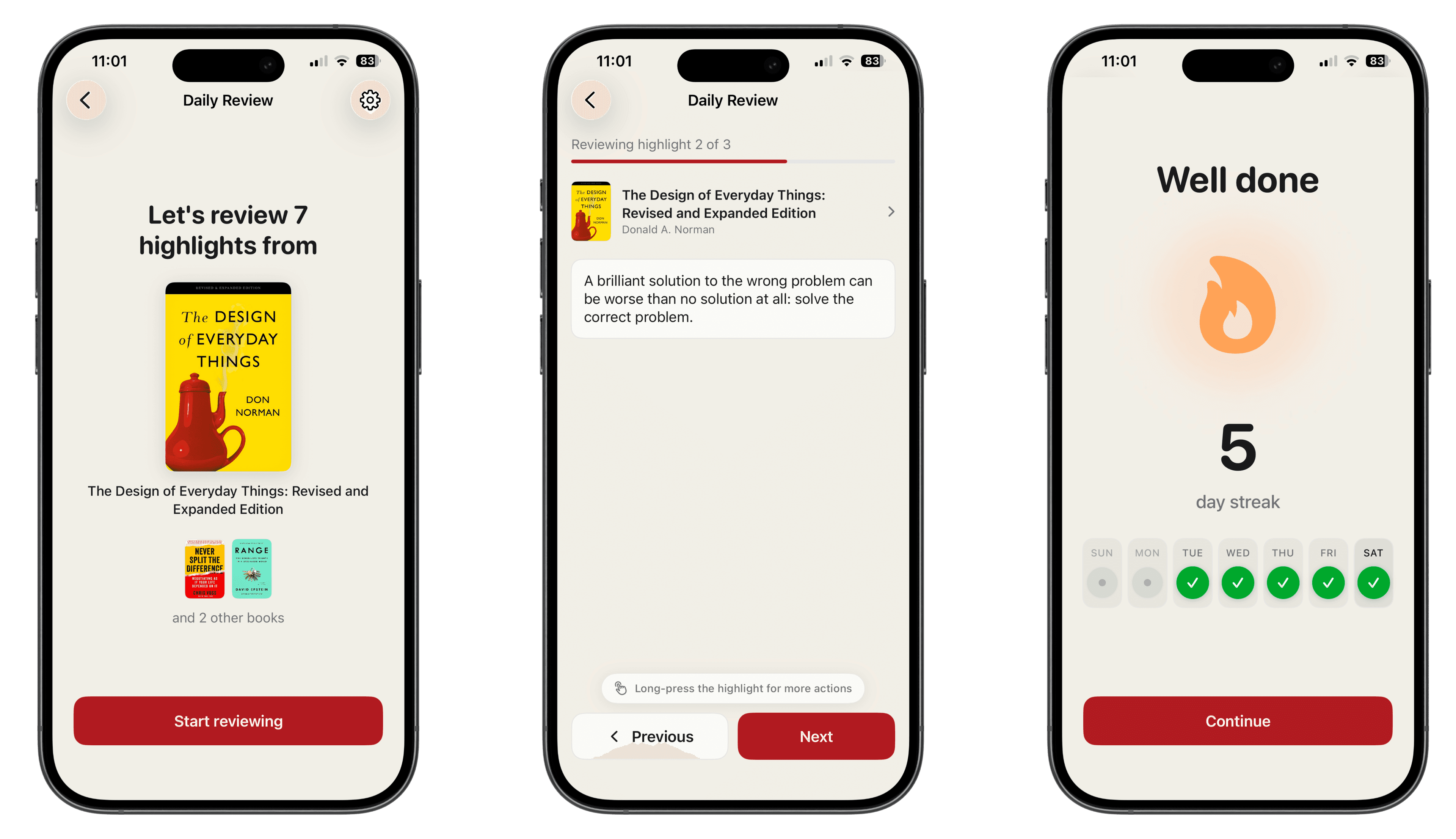
Where PastReads goes further is what happens next. For example, it supports Reading Recaps. Turn them on, so highlights resurface on a schedule.
Every account can use a basic Daily Review-style flow for free. An optional upgrade to Pro unlocks richer settings and spaced repetition.
Glasp leans harder into AI summaries, PDF chat, and sharing. PastReads focuses on library management and highlight reviews, but Pro also adds a chat with your highlights feature through Claude or ChatGPT.
PastReads vs Glasp comparison
PastReads and Glasp both help you keep what you read. They optimize for different centers of gravity.
| Feature | PastReads | Glasp |
|---|---|---|
| Core focus | Book + web highlights library & management | Social web / PDF highlighter + AI |
| Kindle, Kobo, Apple Books imports | ✅ Broad ebook import support | 🟡 Only Kindle sync / import |
| Physical book capture | ✅ iOS & Android camera | ❌ |
| Web highlighting | 🟡 Chrome extension & mobile browsers | ✅ Chrome, Safari, Edge, Firefox |
| PDF / YouTube AI toolkit | 💰 Chat with highlights on Pro | ✅ Free tier + paid AI limits |
| Reading Recaps / daily review | ✅ Basic free; advanced on Pro | 🟡 Limited |
| Private highlights | ✅ Yes | 💰 Pro |
| Tags & collections | ✅ Free (limits); unlimited on Pro | ✅ Free |
| Library search | ✅ Free | ✅ Free |
| Export to Notion / Markdown / CSV | 💰 Pro | ✅ Free |
| Social / community highlights | ❌ | ✅ |
| Starting paid plan (monthly) | $4.99 Pro | $15 Pro |
Highlights beyond the web
Web highlighters are great because there is so much great stuff to read on the web, and install-and-highlight in browsers is instant. At PastReads, we intentionally build an all-in-one highlighting tool, but with another focus on books.
Beyond the web, a single ebook can hold dozens of passages worth keeping. Physical books or articles add another source. Without a dedicated import-and-review workflow, those insights stay unused.
PastReads is built around that reality:
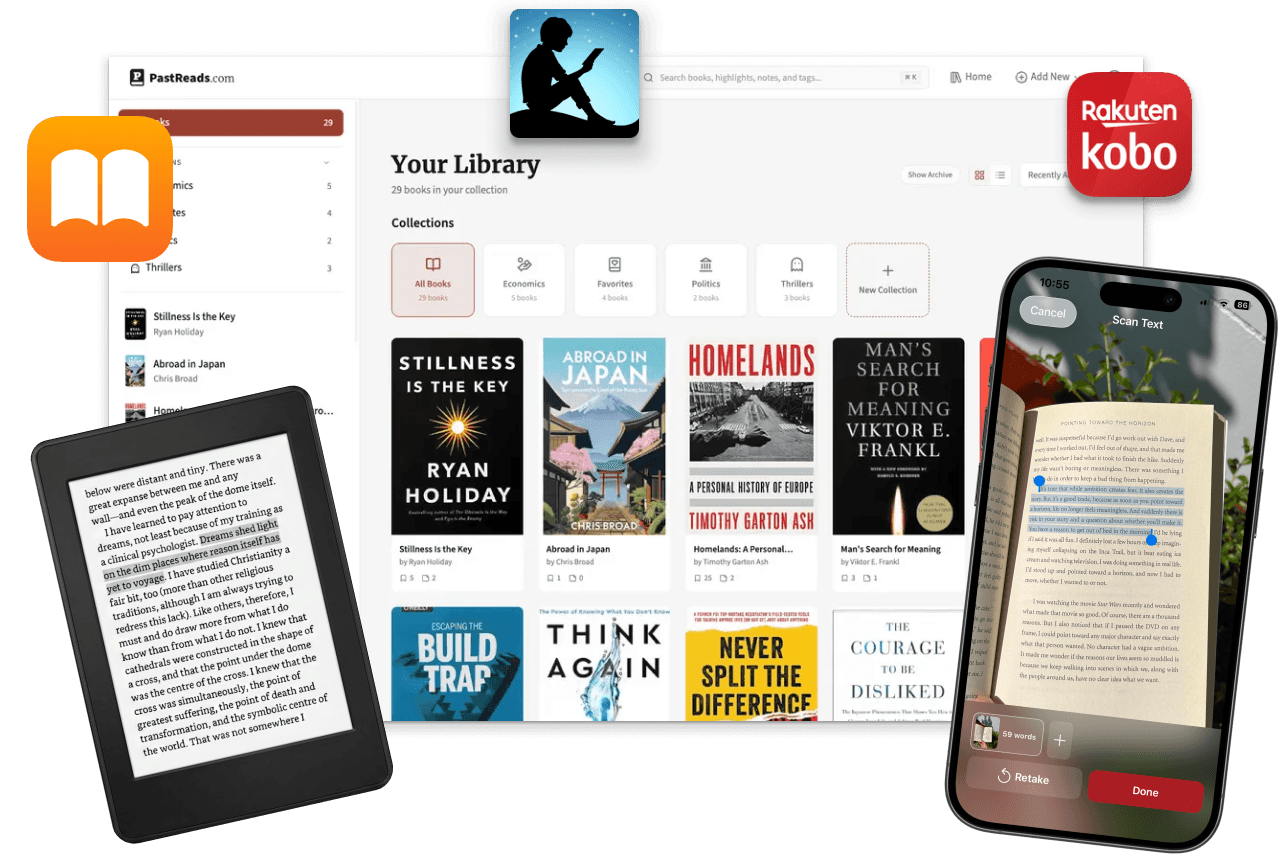
- Import from Kindle, Kobo, Apple Books, Google Play Books, KOReader, and more
- Desktop sync for device-based ebook imports
- Real-world capture on iOS and Android for physical books and more (museum labels, signs, printed handouts, and other text you photograph on the go)
- Full-text search across every book and note in your library
Glasp’s product gravity sits on social web/PDF highlighting and AI. If you live in the browser and want community discovery, that fit is natural. Glasp supports Kindle imports, but coverage (in particular outside Kindle) is narrower. If books are your main knowledge source, PastReads offers an optimized experience.
Private highlights by default
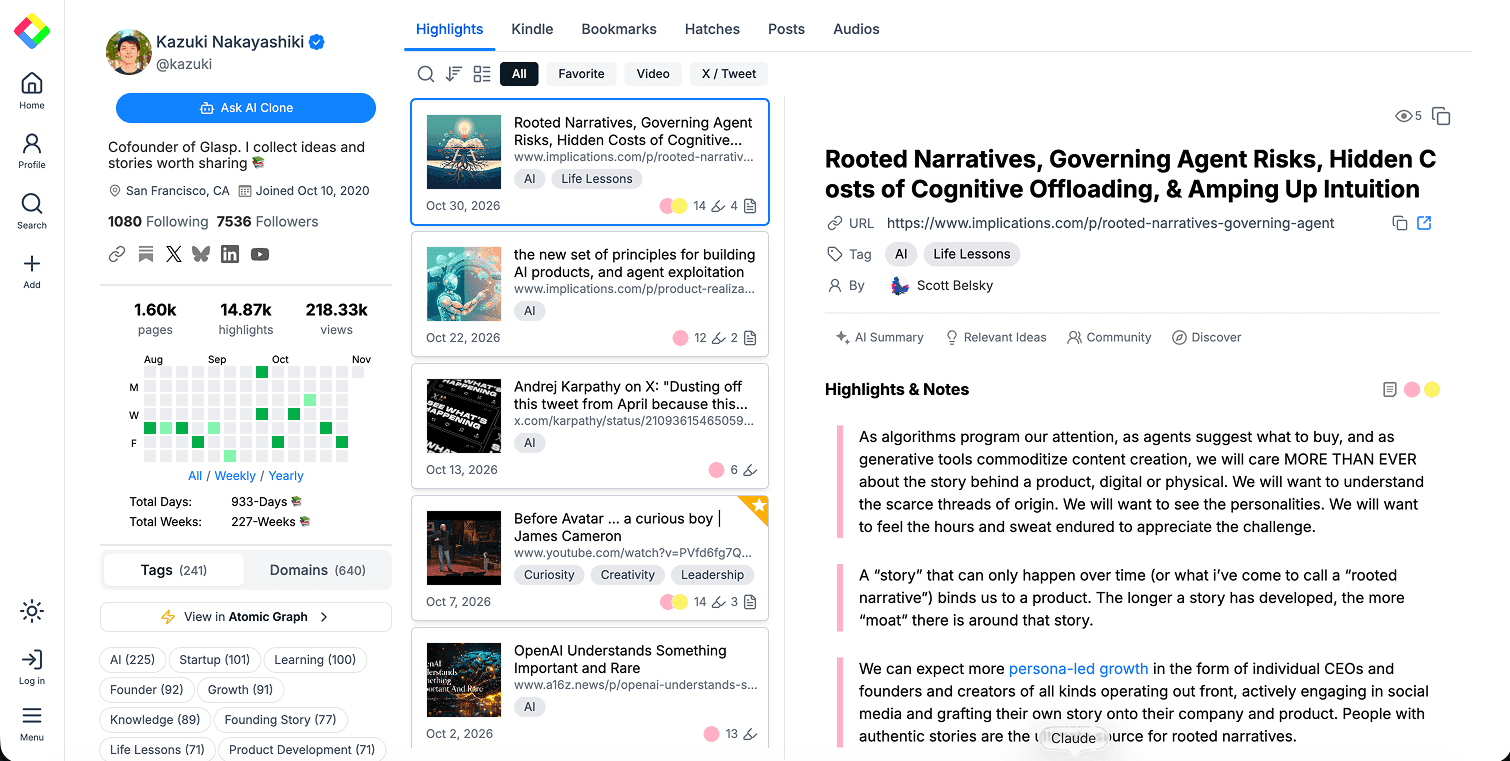
Glasp’s free plan gives you unlimited public highlights. Private highlights are part of what you pay for on Pro. That fuels discovery and following other readers’ profiles.
However, if you highlight things you don't want other people to see, you need to pay at least $150 a year.
PastReads keeps your library personal by default, for free, with data hosted on EU servers. You do not upgrade just to stop sharing.
PastReads or Glasp: which should you choose?
Both Glasp and PastReads are great products. If you mainly want web highlights, use a browser other than Chrome on desktop, and don't mind public highlights unless you pay, go with Glasp:
- A social web/PDF highlighter with community discovery
- Strong YouTube summaries and in-product AI research tools
- Safari, Firefox, and Edge extensions as well as Chrome
- Free exports and Notion sync from day one
- ⚠️ All your highlights are public unless you pay
PastReads is a strong free alternative we built to give you one combined library of your web highlights, ebooks, physical books, and more, and if you care about organizing and remembering your highlights:
- A highlights manager built around highlight management and organization
- Kindle, Kobo, Apple Books, and web articles in one private library
- Free basic Reading Recaps so insights come back to you
- Physical-book capture on mobile
- A lower-cost Pro plan if you do upgrade
Final Thoughts
Glasp popularized a polished social web highlighter, and for browser-first readers, it remains a top choice. PastReads is the fuller alternative when books are part of your reading life: import ebook highlights, capture the web into the same place, keep the library private by default, organize everything, and review it over time.
Want to try it out? Create your free PastReads account, import your first content, and optionally install the Chrome web highlighter.
FAQ
Does PastReads replace the Glasp web highlighter?
For many readers, yes, if you want web highlights inside a book-first library. Glasp still wins if you need multi-browser social highlighting, PDF/YouTube AI depth, or public discovery.
Can PastReads import Kindle and Kobo highlights?
Yes. PastReads supports imports from Kindle, Kobo, Apple Books, Google Play Books, KOReader, and other sources, plus Readwise if you are switching libraries.
Is PastReads free?
Yes. Unlimited highlights, notes, imports, search, and basic Reading Recaps are free. Pro is optional for advanced recaps, exports, unlimited tags/collections, and AI chat.
Are PastReads highlights private?
100%. PastReads is a personal library by default. Glasp highlights are public by default unless you use a plan that unlocks private highlights.